
Houston
Dev Mission Control
A lightweight desktop app for inspecting your local development environment. See everything at a glance — languages, tools, projects, and configs.
Dev Mission Control
A lightweight desktop app for inspecting your local development environment. See everything at a glance — languages, tools, projects, and configs.
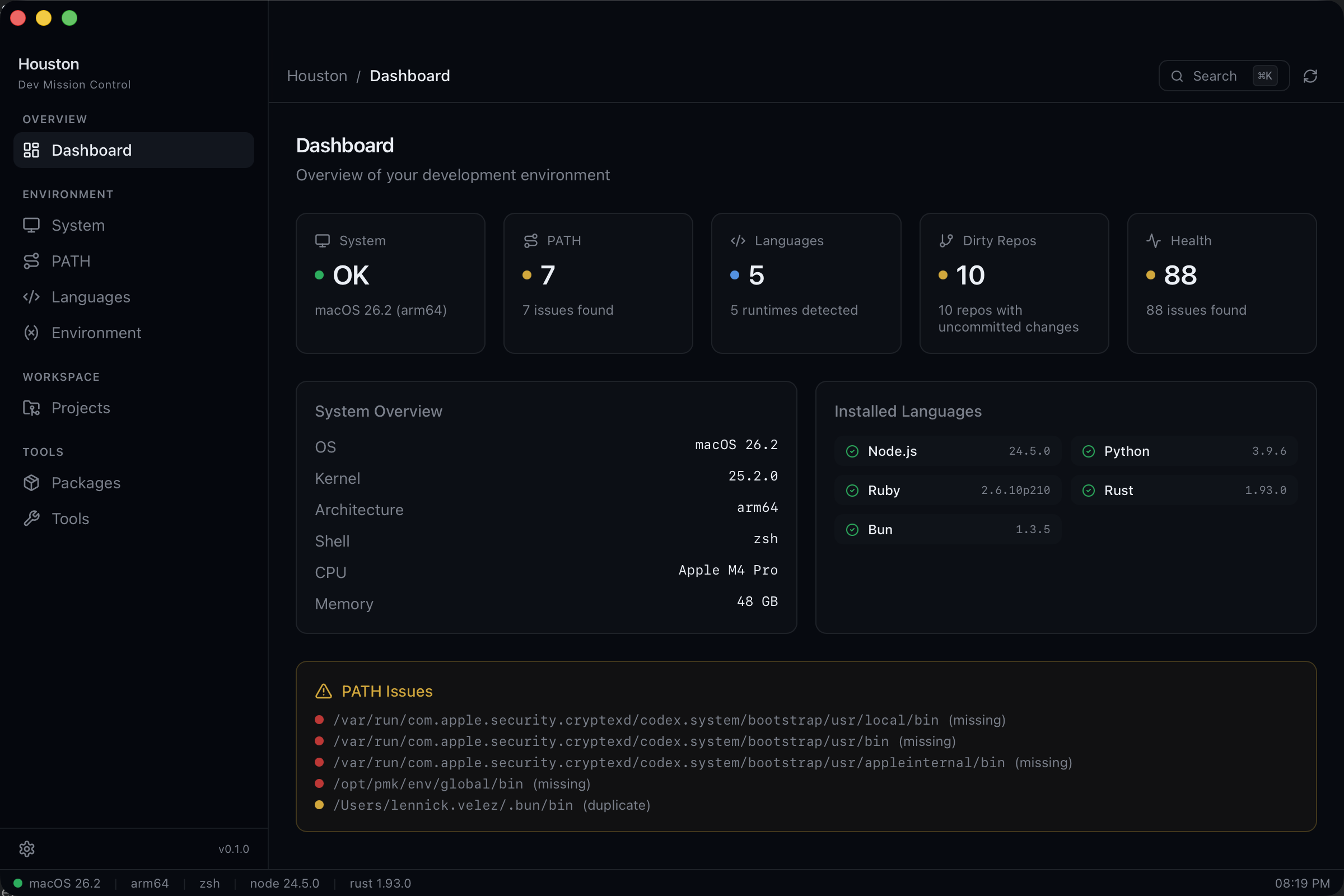
Tour
Explore every corner of your dev environment with purpose-built screens.
Your dev environment at a glance. Health status, detected languages, recent projects, and quick access to everything.
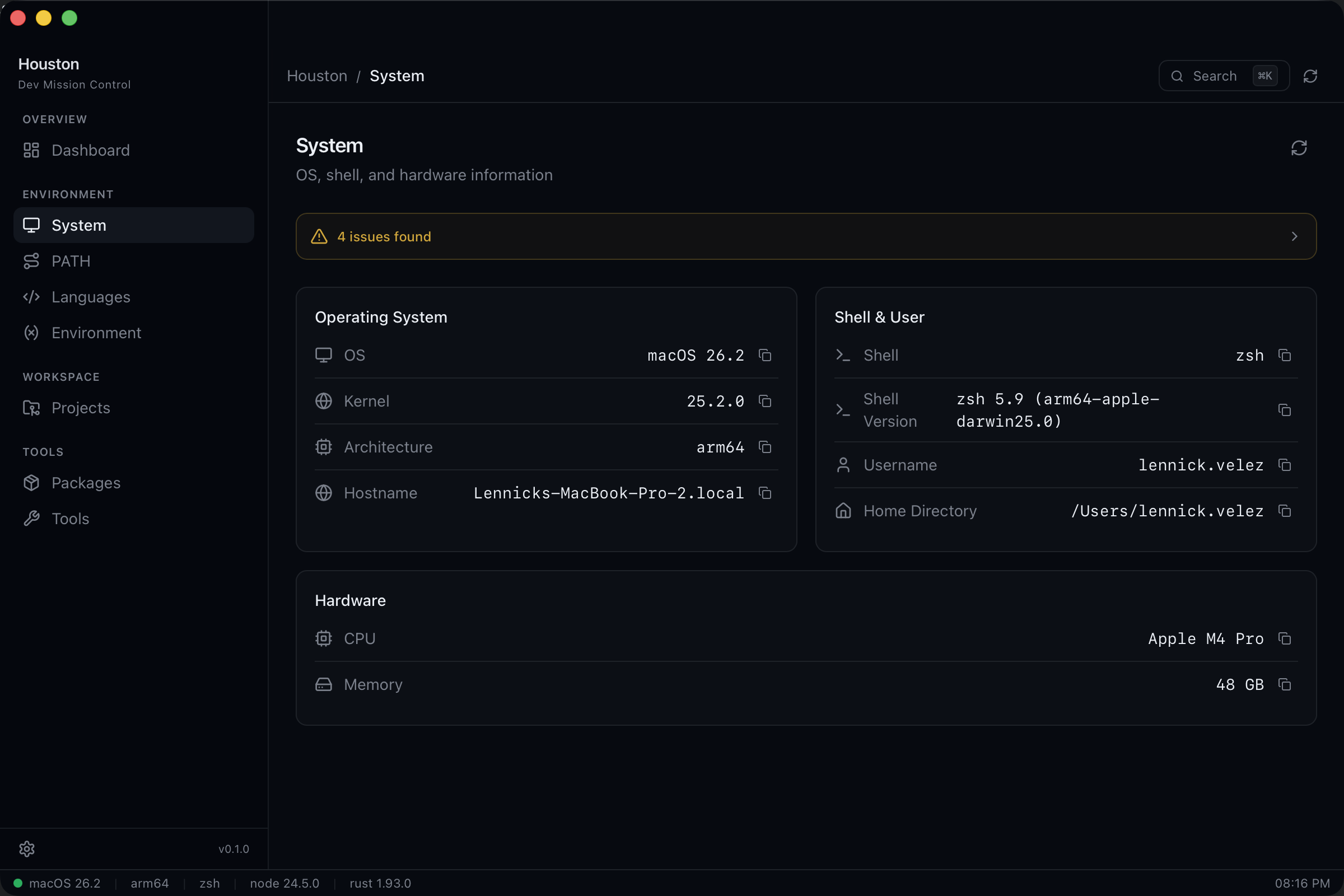
OS details, shell configuration, Homebrew status, and hardware specs. Know exactly what you're running on.
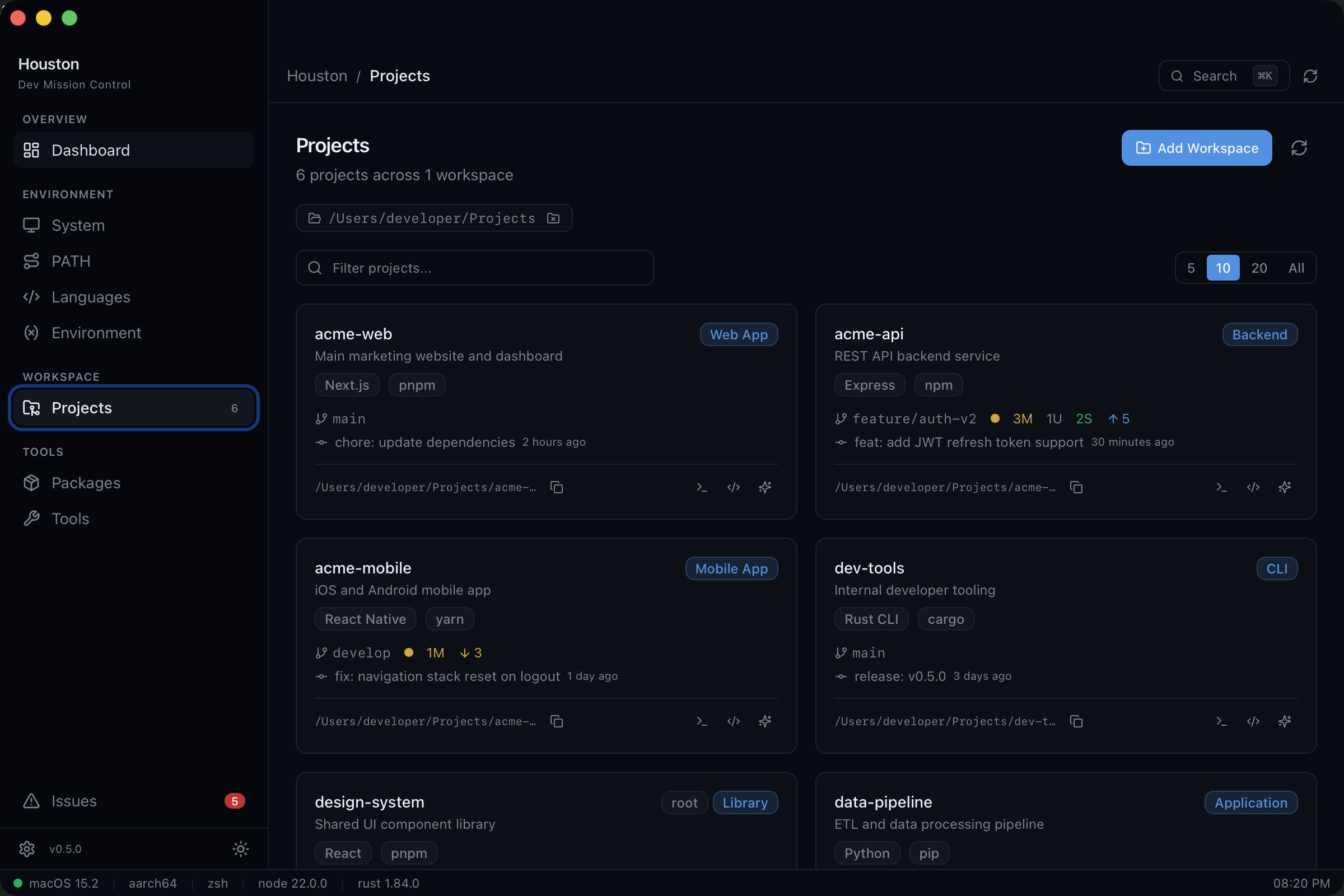
All your repos in one place. Framework detection, git status, and one-click open in your editor or terminal.
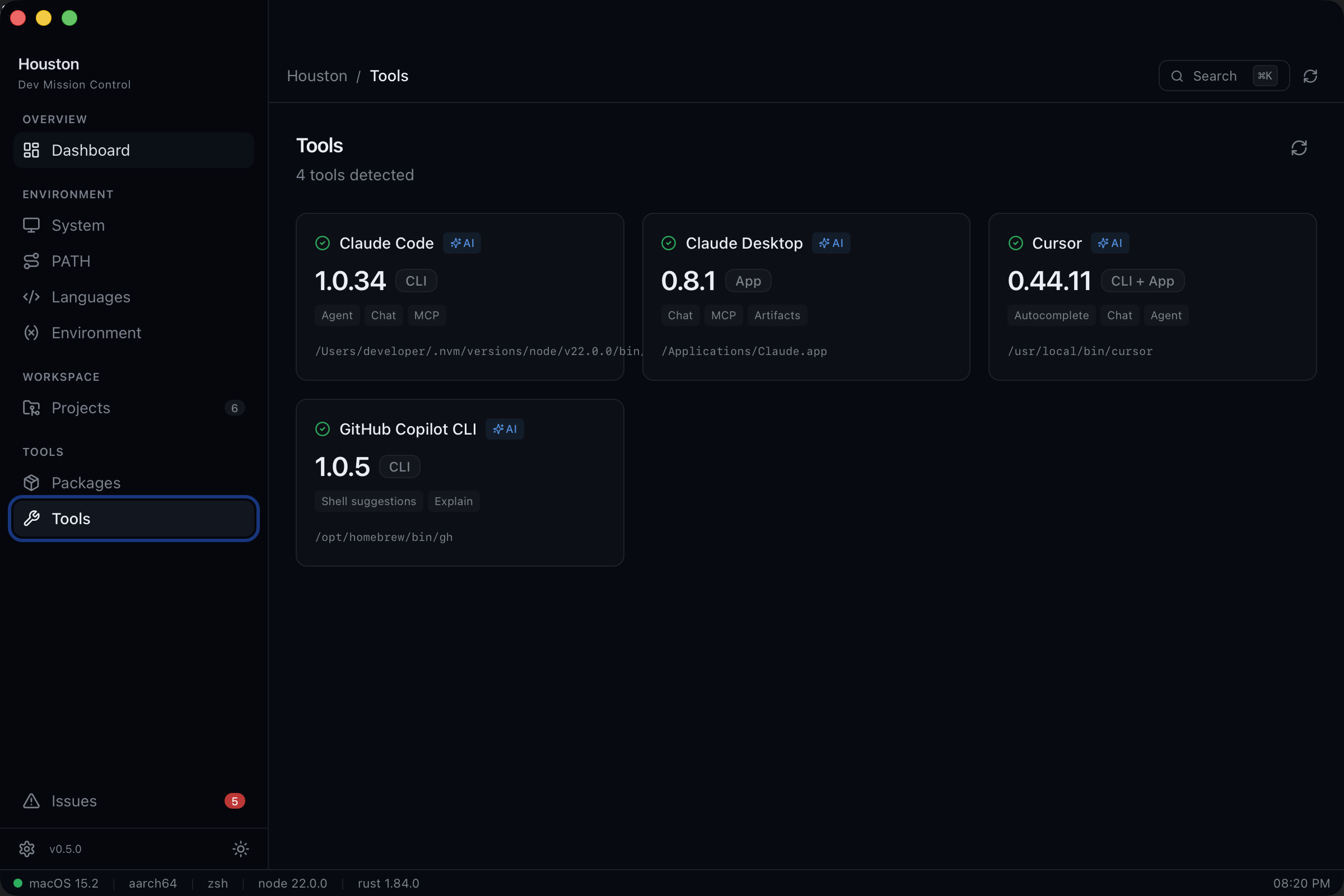
See your Claude Code setup, MCP servers, and AI tooling configuration. Everything in one view.
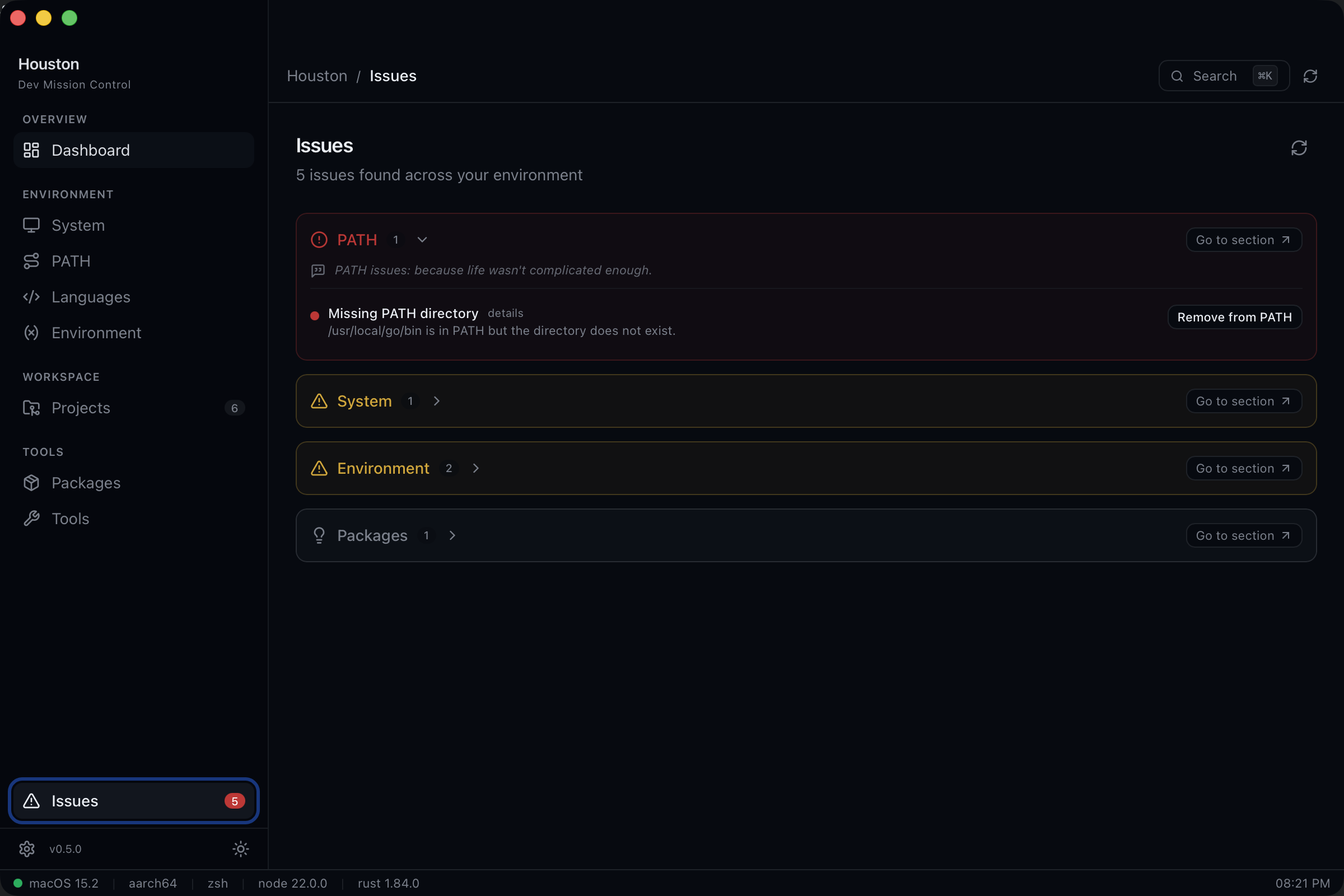
Centralized diagnostics with one-click fixes. Houston finds problems and helps you solve them fast.
Features
Houston scans your machine and shows what matters. No config files, no setup — just open it.
OS, kernel, architecture, shell, CPU, and memory at a glance. Know exactly what you're running on.
Every PATH entry validated for existence and duplicates, categorized by source — Homebrew, Rust, Node.js, Python, and more.
Detects Node.js, Python, Ruby, Go, Rust, Java, and more with versions, binary paths, and version manager identification.
Scans your project directories, detects frameworks, shows package manager info, and lets you open projects in one click.
Per-project branch, dirty state, modified/untracked/staged counts, ahead/behind remote, and last commit info.
Reads your Claude Code config to show MCP servers, settings, and project count. See your AI setup at a glance.
Built with
Get started
Free and open source. Download the latest release or build from source.
macOS (Apple Silicon & Intel) · MIT License